/* sections.jsx — content blocks for the main wedding page.
 * Each block is a small React component. They all read from the static SITE data
 * defined in app.jsx (passed in as a prop where needed).
 * Photo placeholders are clearly labeled — replace with <img src="..." /> later.
 */

const { useState, useEffect, useMemo, useRef, useCallback } = React;

// ── Lightbox (shared fullscreen photo preview with download) ───────────────
function Lightbox({ photos, index, onClose }) {
  const [cur, setCur] = useState(index || 0);

  useEffect(() => { setCur(index || 0); }, [index]);

  const onKey = useCallback((e) => {
    if (e.key === "Escape") onClose();
    if (e.key === "ArrowRight") setCur((c) => Math.min(c + 1, photos.length - 1));
    if (e.key === "ArrowLeft") setCur((c) => Math.max(c - 1, 0));
  }, [photos.length, onClose]);

  useEffect(() => {
    document.addEventListener("keydown", onKey);
    document.body.style.overflow = "hidden";
    return () => {
      document.removeEventListener("keydown", onKey);
      document.body.style.overflow = "";
    };
  }, [onKey]);

  const p = photos[cur];
  if (!p) return null;

  function download(e) {
    e.stopPropagation();
    const a = document.createElement("a");
    a.href = p.src;
    a.download = p.filename || ("photo-" + (cur + 1) + ".jpg");
    a.click();
  }

  return (
    <div className="lightbox-overlay" onClick={onClose}>
      <div className="lightbox-inner" onClick={(e) => e.stopPropagation()}>
        <img src={p.src} alt={p.alt || ""} className="lightbox-img" />
        {p.caption ? <div className="lightbox-caption">{p.caption}</div> : null}
      </div>
      <div className="lightbox-toolbar">
        <button className="lightbox-btn" onClick={download} title="Download">
          <svg width="20" height="20" viewBox="0 0 20 20" fill="none" stroke="currentColor" strokeWidth="1.8" strokeLinecap="round" strokeLinejoin="round"><path d="M10 3v10m0 0l-3.5-3.5M10 13l3.5-3.5M3 16h14"/></svg>
        </button>
        <span className="lightbox-counter">{cur + 1} / {photos.length}</span>
        <button className="lightbox-btn" onClick={onClose} title="Close">
          <svg width="20" height="20" viewBox="0 0 20 20" fill="none" stroke="currentColor" strokeWidth="1.8" strokeLinecap="round"><line x1="4" y1="4" x2="16" y2="16"/><line x1="16" y1="4" x2="4" y2="16"/></svg>
        </button>
      </div>
      {photos.length > 1 && cur > 0 ? (
        <button className="lightbox-arrow lightbox-prev" onClick={(e) => { e.stopPropagation(); setCur(cur - 1); }}>&#8249;</button>
      ) : null}
      {photos.length > 1 && cur < photos.length - 1 ? (
        <button className="lightbox-arrow lightbox-next" onClick={(e) => { e.stopPropagation(); setCur(cur + 1); }}>&#8250;</button>
      ) : null}
    </div>
  );
}

// ── Photo placeholder primitive (drops in a real <img> when src given) ──────
function PhotoSlot({ label, className, style, src, alt, focal }) {
  if (src) {
    return (
      <div className={"photo-slot has-image " + (className || "")} style={style}>
        <img src={src} alt={alt || label || ""} style={focal ? { objectPosition: focal } : undefined} />
      </div>
    );
  }
  return (
    <div className={"photo-slot placeholder " + (className || "")} style={style}>
      <span>{label || "photo placeholder"}</span>
    </div>
  );
}

// ── Hero (with code-entry, two variants) ────────────────────────────────────
function Hero({ site, variant, onSubmit, message, messageOk }) {
  const [code, setCode] = useState(weddingAPI.getRememberedCode() || "");
  function submit(e) {
    if (e) e.preventDefault();
    onSubmit((code || "").trim().toUpperCase());
  }
  return (
    <section className="hero">
      <div className="hero-photo">
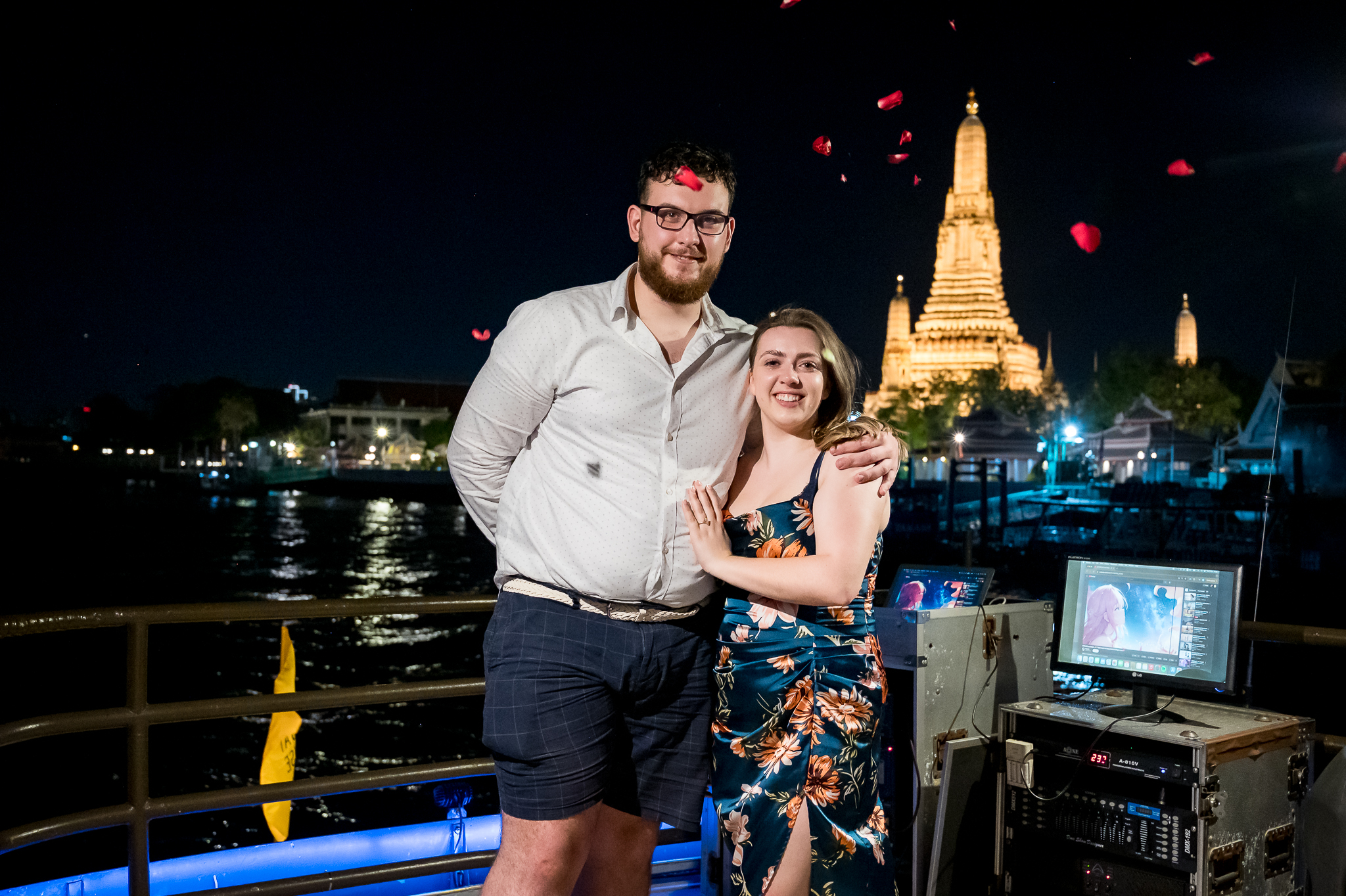
        <img src="photos/hero.jpg" alt="Rhyan and Alex on their engagement night" />
      </div>
      <div className="hero-inner">
        <div className="hero-panel">
          <div className="hero-flourish">
            <span className="heart"></span>
            <span className="eyebrow dark">{site.dateLong}</span>
            <span className="heart"></span>
          </div>
          <div className="hero-title">
            {site.groomFirst}<span className="hero-amp"> & </span>{site.brideFirst}
          </div>
          <div className="hero-sub">We invite you to celebrate our wedding</div>
        </div>

        {variant === "inline" ? (
          <form className="code-inline" onSubmit={submit}>
            <input
              value={code}
              onChange={(e) => setCode(e.target.value)}
              placeholder="ENTER YOUR INVITATION CODE"
              autoComplete="off"
              spellCheck="false"
            />
            <button type="submit">Enter</button>
          </form>
        ) : (
          <form className="code-card" onSubmit={submit}>
            <div className="lbl">Invitation Code</div>
            <input
              className="code-input"
              value={code}
              onChange={(e) => setCode(e.target.value)}
              placeholder="••••••"
              autoComplete="off"
              spellCheck="false"
            />
            <button type="submit" className="code-btn">Open Invitation</button>
          </form>
        )}
        <div className={"code-msg" + (messageOk ? " ok" : "")}>{message || ""}</div>
        <a href="#admin" className="admin-link">Admin login</a>
      </div>
    </section>
  );
}

// ── Couple intro (after hero) ───────────────────────────────────────────────
function CoupleIntro({ site }) {
  return (
    <div className="couple-row">
      <div>
        <PhotoSlot src="photos/groom.jpg" alt="Rhyan" focal="center 25%" />
      </div>
      <div className="couple-card">
        <div className="name serif">{site.groomFirst}</div>
        <div className="role">The Groom</div>
        <p>
          Welcome — we're so glad you found us here. Take a wander through the
          page to see the day's plan, the venue, and our story so far. Then
          when you're ready, let us know if you'll be there.
        </p>
      </div>

      <div className="couple-card" style={{ textAlign: "right", justifySelf: "end" }}>
        <div className="name serif">{site.brideFirst}</div>
        <div className="role">The Bride</div>
        <p style={{ marginLeft: "auto" }}>
          We've picked Wylam Brewery because it feels like us — Newcastle,
          warm, a bit eccentric, full of friends. We can't wait to share it
          with you.
        </p>
      </div>
      <div>
        <PhotoSlot src="photos/bride.jpg" alt="Alex" className="tall" focal="center 30%" />
      </div>
    </div>
  );
}

// ── Countdown + ceremony / reception summary ───────────────────────────────
function useCountdown(targetIso) {
  const [now, setNow] = useState(Date.now());
  useEffect(() => {
    const i = setInterval(() => setNow(Date.now()), 1000);
    return () => clearInterval(i);
  }, []);
  const diff = Math.max(0, new Date(targetIso).getTime() - now);
  const d = Math.floor(diff / 86400000);
  const h = Math.floor((diff % 86400000) / 3600000);
  const m = Math.floor((diff % 3600000) / 60000);
  const s = Math.floor((diff % 60000) / 1000);
  return { d, h, m, s };
}

function CountdownBlock({ site }) {
  const { d, h, m, s } = useCountdown(site.dateIso);
  const pad = (n) => String(n).padStart(2, "0");
  return (
    <section className="section" id="day">
      <div className="container" style={{ textAlign: "center" }}>
        <div className="text-divider eyebrow" style={{ marginBottom: 14 }}>Save the date</div>
        <h2 className="serif">The Wedding Day</h2>
        <div className="countdown">
          <div className="cd-cell"><div className="cd-num">{pad(d)}</div><div className="cd-lbl">Days</div></div>
          <div className="cd-cell"><div className="cd-num">{pad(h)}</div><div className="cd-lbl">Hours</div></div>
          <div className="cd-cell"><div className="cd-num">{pad(m)}</div><div className="cd-lbl">Minutes</div></div>
          <div className="cd-cell"><div className="cd-num">{pad(s)}</div><div className="cd-lbl">Seconds</div></div>
        </div>

        <div className="event-row">
          <div className="event-col">
            <div className="time">Thursday · 26 August 2027 · 1:00 pm</div>
            <h3 className="serif">Ceremony</h3>
            <div className="place">{site.ceremony.name}</div>
            <div className="addr">{site.ceremony.addr}</div>
            <div className="event-actions">
              <a className="btn-ghost" href={site.ceremony.maps} target="_blank" rel="noreferrer">View on map</a>
              <button className="btn-ghost" onClick={() => downloadIcs("ceremony", site)}>Add to calendar</button>
            </div>
          </div>
          <div className="divider"></div>
          <div className="event-col">
            <div className="time">Thursday · 26 August 2027 · 3:30 pm</div>
            <h3 className="serif">Reception</h3>
            <div className="place">{site.reception.name}</div>
            <div className="addr">{site.reception.addr}</div>
            <div className="event-actions">
              <a className="btn-ghost" href={site.reception.maps} target="_blank" rel="noreferrer">View on map</a>
              <button className="btn-ghost" onClick={() => downloadIcs("reception", site)}>Add to calendar</button>
            </div>
          </div>
        </div>
      </div>
    </section>
  );
}

function downloadIcs(kind, site) {
  const ev = kind === "ceremony" ? site.ceremony : site.reception;
  const start = kind === "ceremony" ? "20270826T130000" : "20270826T153000";
  const end   = kind === "ceremony" ? "20270826T143000" : "20270827T010000";
  const ics = [
    "BEGIN:VCALENDAR", "VERSION:2.0", "PRODID:-//Rhyan & Alex//Wedding//EN",
    "BEGIN:VEVENT",
    `UID:${kind}-rhyan-alex@wedding`,
    `DTSTART:${start}`,
    `DTEND:${end}`,
    `SUMMARY:${ev.name} — Rhyan & Alex's Wedding`,
    `LOCATION:${ev.addr}`,
    "END:VEVENT", "END:VCALENDAR"
  ].join("\n");
  const blob = new Blob([ics], { type: "text/calendar" });
  const a = document.createElement("a");
  a.href = URL.createObjectURL(blob);
  a.download = `rhyan-alex-${kind}.ics`;
  a.click();
}

// ── Detailed schedule ──────────────────────────────────────────────────────
function ScheduleBlock({ site }) {
  return (
    <section className="section alt" id="schedule">
      <div className="container">
        <div className="section-head">
          <div className="eyebrow">The order of the day</div>
          <h2 className="serif">Thursday, 26 August 2027</h2>
          <p style={{ color: "var(--ink-soft)", maxWidth: 560 }}>
            A loose plan so you know what to expect. Times are approximate — come and go as you like.
          </p>
        </div>
        <div className="schedule">
          {site.schedule.map((item, i) => (
            <div key={i} className={"sched-item " + (i % 2 ? "right" : "left")}>
              <div className="sched-time">
                {item.time.split(" ")[0]}
                <span className="ampm">{item.time.split(" ")[1] || ""}</span>
              </div>
              <div className="sched-dot"><span></span></div>
              <div className="sched-body">
                <h4>{item.title}</h4>
                <p>{item.desc}</p>
              </div>
            </div>
          ))}
        </div>
      </div>
    </section>
  );
}

// ── Venue ───────────────────────────────────────────────────────────────────
function VenueBlock({ site }) {
  return (
    <section className="section" id="venue">
      <div className="container">
        <div className="section-head">
          <div className="eyebrow">How to find us</div>
          <h2 className="serif">The Venue</h2>
        </div>
        <div className="venue-grid">
          <div>
            <PhotoSlot src="photos/venue-wylam.jpg" alt="Wylam Brewery exterior" />
          </div>
          <div className="venue-card">
            <div className="label">Reception</div>
            <h3 className="serif">{site.reception.name}</h3>
            <div className="addr">{site.reception.addr}</div>
            <div className="venue-meta">
              <div><div className="k">Arrival</div><div className="v">From 3:30 pm</div></div>
              <div><div className="k">Carriages</div><div className="v">12:30 am</div></div>
              <div><div className="k">Parking</div><div className="v">On-site, free</div></div>
              <div><div className="k">Nearest metro</div><div className="v">St James</div></div>
            </div>
            <div className="event-actions" style={{ justifyContent: "flex-start" }}>
              <a className="btn-ghost" href={site.reception.maps} target="_blank" rel="noreferrer">Open in Google Maps</a>
              <button className="btn-ghost" onClick={() => downloadIcs("reception", site)}>Add to calendar</button>
            </div>
          </div>
        </div>

        <div className="venue-grid" style={{ marginTop: 80 }}>
          <div className="venue-card">
            <div className="label">Ceremony</div>
            <h3 className="serif">{site.ceremony.name}</h3>
            <div className="addr">{site.ceremony.addr}</div>
            <div className="venue-meta">
              <div><div className="k">Arrival</div><div className="v">12:30 pm</div></div>
              <div><div className="k">Service</div><div className="v">1:00 – 2:00 pm</div></div>
              <div><div className="k">Parking</div><div className="v">On the road</div></div>
              <div><div className="k">Nearest metro</div><div className="v">Jesmond</div></div>
            </div>
            <div className="event-actions" style={{ justifyContent: "flex-start" }}>
              <a className="btn-ghost" href={site.ceremony.maps} target="_blank" rel="noreferrer">Open in Google Maps</a>
              <button className="btn-ghost" onClick={() => downloadIcs("ceremony", site)}>Add to calendar</button>
            </div>
          </div>
          <div>
            <PhotoSlot src="photos/church.webp" alt="Church of the Holy Name exterior" />
          </div>
        </div>
      </div>
    </section>
  );
}

// ── Where to stay ──────────────────────────────────────────────────────────
function StayBlock() {
  return (
    <section className="section alt" id="stay">
      <div className="container">
        <div className="section-head">
          <div className="eyebrow">Plan your stay</div>
          <h2 className="serif">Where to Stay</h2>
          <p style={{ color: "var(--ink-soft)", maxWidth: 580 }}>
            Most of our guests stay in Jesmond — a short walk to the church and a quick taxi
            to Wylam. Here's a shortlist of our favourites; if none suit, you can search Expedia
            for more options.
          </p>
        </div>

        <div className="stay-favourites stay-favourites--wide">
          <div className="stay-eyebrow">Our shortlist</div>
          <div className="stay-list">
            <a className="stay-item" href="https://maps.google.com/?q=The+Vermont+Hotel+Newcastle" target="_blank" rel="noreferrer">
              <div className="stay-name">The Vermont Hotel</div>
              <div className="stay-meta">City centre · 10 min cab to Wylam</div>
            </a>
            <a className="stay-item" href="https://maps.google.com/?q=Jesmond+Dene+House+Hotel" target="_blank" rel="noreferrer">
              <div className="stay-name">Jesmond Dene House</div>
              <div className="stay-meta">Jesmond · 5 min walk to the church</div>
            </a>
            <a className="stay-item" href="https://maps.google.com/?q=Motel+One+Newcastle" target="_blank" rel="noreferrer">
              <div className="stay-name">Motel One Newcastle</div>
              <div className="stay-meta">City centre · easy on the budget</div>
            </a>
            <a className="stay-item" href="https://maps.google.com/?q=Hotel+du+Vin+Newcastle" target="_blank" rel="noreferrer">
              <div className="stay-name">Hotel du Vin</div>
              <div className="stay-meta">Quayside · river views</div>
            </a>
            <a className="stay-item" href="https://maps.google.com/?q=Crowne+Plaza+Newcastle+Stephenson+Quarter" target="_blank" rel="noreferrer">
              <div className="stay-name">Crowne Plaza</div>
              <div className="stay-meta">Stephenson Quarter · near Central Station</div>
            </a>
          </div>
          <p className="stay-note">
            Tip: book early — Newcastle gets busy in late August with the Bank Holiday.
          </p>

          <div className="stay-search">
            <a
              className="btn-primary"
              href="https://www.expedia.co.uk/Hotel-Search?destination=Wylam+Brewery+Newcastle&adults=2"
              target="_blank"
              rel="noreferrer"
              style={{ textDecoration: "none", display: "inline-block" }}
            >
              Also search on Expedia →
            </a>
            <span className="stay-search-note">Opens Expedia in a new tab</span>
          </div>
        </div>
      </div>
    </section>
  );
}
function GalleryBlock() {
  const tiles = [
    { src: "photos/eng-01.jpg", alt: "The proposal" },
    { src: "photos/eng-02.jpg", alt: "Cheers on the river" },
    { src: "photos/eng-03.jpg", alt: "By the water" },
    { src: "photos/eng-04.jpg", alt: "Looking out over the river" },
    { src: "photos/eng-05.jpg", alt: "Wat Arun by night" },
    { src: "photos/eng-06.jpg", alt: "Dinner under the lights" }
  ];
  const [lbIndex, setLbIndex] = useState(null);
  return (
    <section className="section alt" id="gallery">
      <div className="container">
        <div className="section-head">
          <div className="eyebrow">Memory book</div>
          <h2 className="serif">Our Moments</h2>
        </div>
        <div className="gallery">
          {tiles.map((t, i) => (
            <div key={i} className="gallery-tile has-image" onClick={() => setLbIndex(i)} style={{ cursor: "pointer" }}>
              <img src={t.src} alt={t.alt} />
            </div>
          ))}
        </div>
        {lbIndex !== null ? (
          <Lightbox
            photos={tiles.map(t => ({ src: t.src, alt: t.alt, filename: t.src.split("/").pop() }))}
            index={lbIndex}
            onClose={() => setLbIndex(null)}
          />
        ) : null}
        <div className="quote-block">
          <p>"A successful marriage requires falling in love many times, always with the same person."</p>
          <span className="cite">— Mignon McLaughlin</span>
        </div>
      </div>
    </section>
  );
}

// ── Story timeline ──────────────────────────────────────────────────────────
function StoryBlock({ site }) {
  return (
    <section className="section" id="story">
      <div className="container">
        <div className="section-head">
          <div className="eyebrow">How it all began</div>
          <h2 className="serif">Our Love Story</h2>
        </div>
        <div className="story">
          {site.story.map((s, i) => (
            <div key={i} className={"story-item " + (i % 2 ? "right" : "left")}>
              <div className="story-card">
                <div className="when">{s.when}</div>
                <h4>{s.title}</h4>
                <p>{s.body}</p>
              </div>
              <div className="story-dot"><span></span></div>
            </div>
          ))}
        </div>
      </div>
    </section>
  );
}

// ── Dress code ──────────────────────────────────────────────────────────────
function DressBlock() {
  return (
    <section className="section alt" id="dress">
      <div className="container">
        <div className="section-head">
          <div className="eyebrow">A little guidance</div>
          <h2 className="serif">Dress Code</h2>
        </div>
        <div className="dress">
          <div className="dress-col">
            <h3 className="serif">Smart formal</h3>
            <p>
              Suits, ties optional. Long or midi dresses, jumpsuits — anything you feel
              wonderful in. The reception is in a brewery hall, so consider comfortable
              shoes for the dancing later on.
            </p>
            <p>Heads-up: there's a stone-floor courtyard between rooms. Block heels travel better than stilettos.</p>
          </div>
          <div className="dress-col">
            <div className="label" style={{ fontSize: 10.5, letterSpacing: "0.36em", textTransform: "uppercase", color: "var(--ink-mute)", marginBottom: 12 }}>Our palette — for inspiration, not a rule</div>
            <div className="swatch-row">
              {[
                ["#d4b896", "Champagne"],
                ["#b08864", "Caramel"],
                ["#6b6d4a", "Olive"],
                ["#3a3a32", "Slate"],
                ["#7a8aa5", "Dusty blue"],
                ["#a64b3a", "Terracotta"]
              ].map(([c, n], i) => (
                <div key={i} className="swatch">
                  <div className="swatch-chip" style={{ background: c }}></div>
                  <div className="swatch-name">{n}</div>
                </div>
              ))}
            </div>
            <p style={{ marginTop: 24 }}>
              Please leave white, ivory and cream for the bride — anything else is fair game.
            </p>
          </div>
        </div>
      </div>
    </section>
  );
}

// ── FAQ ─────────────────────────────────────────────────────────────────────
function FaqBlock({ site }) {
  const [open, setOpen] = useState(0);
  return (
    <section className="section" id="faq">
      <div className="container">
        <div className="section-head">
          <div className="eyebrow">Good to know</div>
          <h2 className="serif">Frequently Asked</h2>
        </div>
        <div className="faq">
          {site.faq.map((item, i) => (
            <div key={i} className={"faq-item " + (open === i ? "open" : "")}>
              <div className="faq-q" onClick={() => setOpen(open === i ? -1 : i)}>
                <span>{item.q}</span>
                <span className="ico"></span>
              </div>
              <div className="faq-a">
                <div style={{ paddingBottom: 4 }}>{item.a}</div>
              </div>
            </div>
          ))}
        </div>
      </div>
    </section>
  );
}

// ── Photo upload (guest-side) ───────────────────────────────────────────────
function PhotoUploadBlock({ guest }) {
  const [uploads, setUploads] = useState([]);
  const [busy, setBusy] = useState(false);
  const [drag, setDrag] = useState(false);
  const [lbIndex, setLbIndex] = useState(null);

  useEffect(() => {
    // load this guest's uploads so they can see what they've shared
    weddingAPI.listPhotos().then((all) => {
      setUploads(all.filter((p) => p.code === (guest && guest.code)));
    });
  }, [guest]);

  function handleFiles(files) {
    if (!files || !files.length) return;
    setBusy(true);
    let done = 0;
    Array.from(files).forEach((file) => {
      if (!file.type.startsWith("image/")) { done += 1; if (done === files.length) setBusy(false); return; }
      const reader = new FileReader();
      reader.onload = async () => {
        // Downscale to keep localStorage from filling up immediately.
        const dataUrl = await downscale(reader.result, 1200);
        await weddingAPI.uploadPhoto({
          code: guest && guest.code,
          name: guest && guest.name,
          dataUrl
        });
        done += 1;
        if (done === files.length) {
          weddingAPI.listPhotos().then((all) => {
            setUploads(all.filter((p) => p.code === (guest && guest.code)));
            setBusy(false);
          });
        }
      };
      reader.readAsDataURL(file);
    });
  }

  return (
    <section className="section" id="photos">
      <div className="container upload-card">
        <div className="section-head">
          <div className="eyebrow">Help us remember</div>
          <h2 className="serif">Share Your Photos</h2>
          <p style={{ color: "var(--ink-soft)", maxWidth: 540 }}>
            We'd love to see the day through your eyes. Drop any photos you take here and we'll
            collect them all together after the wedding.
          </p>
        </div>
        <div
          className={"upload-zone" + (drag ? " drag" : "")}
          onDragOver={(e) => { e.preventDefault(); setDrag(true); }}
          onDragLeave={() => setDrag(false)}
          onDrop={(e) => {
            e.preventDefault();
            setDrag(false);
            handleFiles(e.dataTransfer.files);
          }}
        >
          <div className="ico">⌃</div>
          <p>{busy ? "Uploading…" : "Drag photos here, or click to choose files"}</p>
          <button className="btn-ghost" type="button">Choose photos</button>
          <input type="file" multiple accept="image/*" onChange={(e) => handleFiles(e.target.files)} />
        </div>
        {uploads.length > 0 ? (
          <div>
            <div className="eyebrow" style={{ marginTop: 24 }}>
              You've shared {uploads.length} {uploads.length === 1 ? "photo" : "photos"} — thank you
            </div>
            <div className="uploaded-strip">
              {uploads.slice(0, 12).map((p, i) => (
                <div key={p.id} className="tile" style={{ backgroundImage: `url(${p.dataUrl})`, cursor: "pointer" }} onClick={() => setLbIndex(i)}></div>
              ))}
            </div>
            {lbIndex !== null ? (
              <Lightbox
                photos={uploads.slice(0, 12).map(p => ({ src: p.dataUrl, alt: p.caption || p.name, caption: p.caption, filename: (p.name || "photo") + ".jpg" }))}
                index={lbIndex}
                onClose={() => setLbIndex(null)}
              />
            ) : null}
          </div>
        ) : null}
      </div>
    </section>
  );
}

async function downscale(dataUrl, maxDim) {
  return new Promise((resolve) => {
    const img = new Image();
    img.onload = () => {
      const scale = Math.min(1, maxDim / Math.max(img.width, img.height));
      const w = Math.round(img.width * scale);
      const h = Math.round(img.height * scale);
      const c = document.createElement("canvas");
      c.width = w; c.height = h;
      c.getContext("2d").drawImage(img, 0, 0, w, h);
      resolve(c.toDataURL("image/jpeg", 0.82));
    };
    img.onerror = () => resolve(dataUrl);
    img.src = dataUrl;
  });
}

// ── Gift block (custom lime-green donate CTA, opens PayPal in a popup) ──────
function GiftBlock({ site }) {
  function openDonate(e) {
    // Center a fixed-size popup window. If the browser blocks it,
    // we fall back to letting the anchor open in a new tab.
    const w = 620;
    const h = 820;
    const sw = window.screen.availWidth || window.innerWidth;
    const sh = window.screen.availHeight || window.innerHeight;
    const left = Math.max(0, (sw - w) / 2);
    const top  = Math.max(0, (sh - h) / 2);
    const features = `width=${w},height=${h},top=${top},left=${left},` +
                     `toolbar=no,menubar=no,location=no,status=no,` +
                     `scrollbars=yes,resizable=yes`;
    const popup = window.open(site.paypalUrl, "paypal_donate", features);
    if (popup) {
      e.preventDefault();
      try { popup.focus(); } catch (_) {}
    }
    // popup === null → popup blocker engaged; let the anchor's target="_blank" run
  }

  return (
    <section className="section alt" id="gift">
      <div className="container">
        <div className="gift-card">
          <div className="eyebrow">A small note</div>
          <h2 className="serif" style={{ marginTop: 8 }}>Send a Gift</h2>
          <p>
            Your presence is the greatest gift — truly. But if you'd like to contribute toward
            our honeymoon, you can do so securely through PayPal. The wedding site stays open behind,
            so you'll come right back when you're done.
          </p>
          <a
            className="donate-cta"
            href={site.paypalUrl}
            target="_blank"
            rel="noreferrer"
            onClick={openDonate}
          >
            <span className="donate-cta-label">Donate</span>
            <span className="donate-cta-sub">via PayPal</span>
            <span className="donate-cta-arrow" aria-hidden="true">→</span>
          </a>
          <div className="donate-secure">
            <span className="donate-secure-dot"></span>
            Secured by PayPal · No account required
          </div>
        </div>
      </div>
    </section>
  );
}

// ── Sign-off / monogram ─────────────────────────────────────────────────────
function SignOff({ site }) {
  return (
    <section className="signoff">
      <div className="eyebrow">With love</div>
      <div className="monogram serif">{site.groomFirst[0]}<span style={{ fontSize: "0.5em", verticalAlign: "middle", margin: "0 0.04em", color: "var(--accent)", fontStyle: "normal" }}>✦</span>{site.brideFirst[0]}</div>
      <div className="thanks serif">Thank you for being part of our story.</div>
      <div className="names">{site.groomFirst} &nbsp;·&nbsp; {site.brideFirst}</div>
    </section>
  );
}

Object.assign(window, {
  Hero, CoupleIntro, CountdownBlock, ScheduleBlock, VenueBlock,
  StayBlock, GalleryBlock, StoryBlock, DressBlock, FaqBlock,
  PhotoUploadBlock, GiftBlock, SignOff, PhotoSlot, Lightbox
});